Web Dashboard & REST API
Web Dashboard
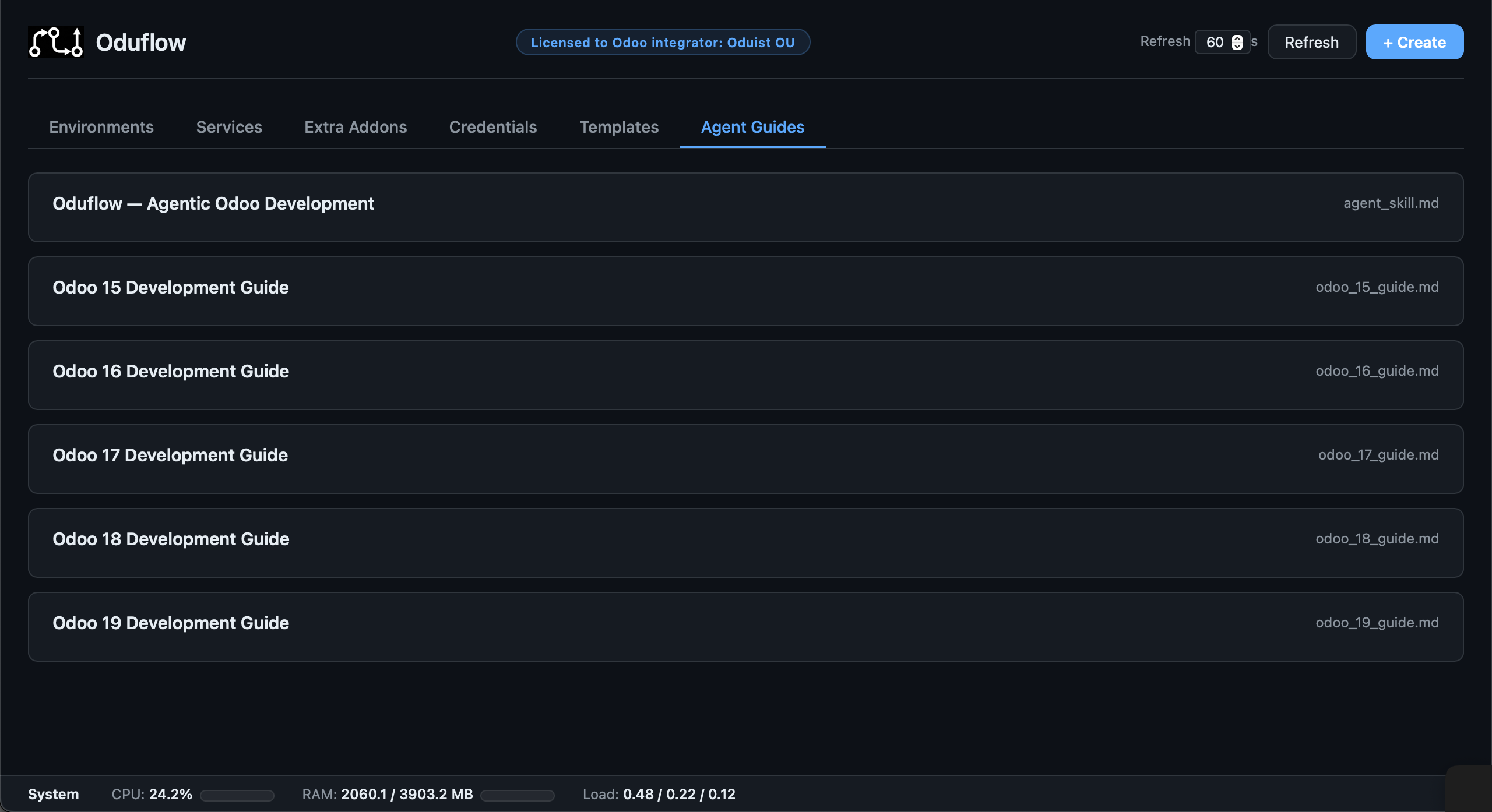
HTTP mode serves the dashboard at /. It manages environments, templates,
services, volumes, extra addons, credentials, licenses, usage/quotas, and—when
enabled—coding agents and productions. Environment cards also expose logs,
Odoo/SQL terminals, Connect As, notes, protection, scoped MCP access,
single-environment share links, and save-as-template actions.
Server configuration is not edited here: the deployment-wide
Server settings console at /admin has its own password and its
own JSON API under /admin/api/. A browser signed in to the console sees a
Server settings link in the dashboard header.
The header's Feedback action opens a prefilled issue form on
github.com/oduflow/oduflow. Oduflow holds no GitHub credentials and files
nothing itself: it builds the link with the description and a short
version/platform/transport block, then the user reviews and submits it from
their own GitHub account.
Authentication and responses
Dashboard API routes use the authenticated UI session (password from
[team.*].ui_password, plus TOTP when enabled). The login form creates an
HTTP-only session cookie; HTTP Basic credentials are rejected. See
UI 2FA for setup and recovery. State-changing cookie-auth
requests and all WebSocket handshakes are protected by Origin/Referer checks.
This authentication is separate from MCP Bearer authentication.
Most REST handlers return JSON containing ok. Three public surfaces use their
own security model:
/healthzis unauthenticated and contains no secrets./api/webhooks/githubverifiesX-Hub-Signature-256against the production webhook secret.- Odoo.sh import ingest routes require a short-lived Bearer import token. The token-minting endpoint remains UI-authenticated.
/oduflow-connect is a one-time, token-authenticated browser redirect rather
than a JSON API. Production routes are registered only when
[production].enabled = true.
Environment endpoints
| Method | Endpoint | Description |
|---|---|---|
GET |
/api/environments |
List environments |
POST |
/api/environments/create |
Create an environment. Body: env_name, optional hostname, repo_url, odoo_image, template_name, extra_addons, auto_install_modules, env_vars (merged per key over the template's), git_user, from_production (build from a dev copy of that production, through its managed prod-<name> template — published on first use; mutually exclusive with template_name), base_branch (when the branch does not exist on origin, create it from this branch and push it; the result's branch_created_from names the base when that happened) |
POST |
/api/environments/{branch}/start |
Start an environment |
POST |
/api/environments/{branch}/stop |
Stop an environment |
POST |
/api/environments/{branch}/restart |
Restart its Odoo container |
POST |
/api/environments/{branch}/sync |
Pull and automatically apply code changes |
GET |
/api/environments/{branch}/modules |
List installed modules (name and version) — the source for the dashboard's Upgrade modules picker |
POST |
/api/environments/{branch}/modules |
Install or upgrade modules. Body: action (install or upgrade), modules (comma-separated string). A successful action returns modules_installed or modules_upgraded plus container_restarted; if the follow-up restart fails, the module action remains successful with container_restarted: false plus a warning. Every result includes modules_attempted; a non-zero Odoo exit code omits the success field and includes the command output |
POST |
/api/environments/{branch}/switch-branch |
Move the environment onto another git branch, keeping DB, filestore and URL, then apply the difference. Body: branch, optional new_name to rename the environment at the same time. The response's env_name is the name to address it by afterwards |
POST |
/api/environments/{branch}/update |
Recreate the container while preserving DB and filestore. Optional body: env_vars (full replacement of the user-supplied container variables — either an object mapping names to values, or a KEY=VALUE string separated by newlines or commas; an empty object/string clears them, an absent key keeps them). The dashboard sends an object, so a value may contain commas, odoo_image, new_name (rename the environment; a pooled or explicit hostname is kept, its scoped MCP endpoint moves to /mcp/<new name>; productions and stack members are refused) |
GET |
/api/environments/{branch}/env-vars |
Return the user-supplied container environment variables |
POST |
/api/environments/{branch}/recreate |
Delete and recreate with the recorded parameters |
POST |
/api/environments/{branch}/delete |
Delete the environment |
GET |
/api/environments/{branch}/logs?n=200&container= |
Read environment logs; optionally select a container |
POST |
/api/environments/{branch}/protect |
Protect from stop/delete |
POST |
/api/environments/{branch}/unprotect |
Remove protection |
POST |
/api/environments/{branch}/note |
Store the body note on the environment |
POST |
/api/environments/{branch}/storage/refresh |
Refresh cached DB/workspace sizes |
GET |
/api/environments/{branch}/mcp-access |
Return the scoped MCP URL and per-environment token |
GET |
/api/environments/{branch}/share |
Return the environment's share link status: shared, url (with its key) and created_at |
POST |
/api/environments/{branch}/share |
Start sharing the environment, or return the existing link |
POST |
/api/environments/{branch}/share/rotate |
Issue a new link; the previous one and every session opened with it stop working |
POST |
/api/environments/{branch}/share/revoke |
Stop sharing the environment |
GET |
/api/environments/{branch}/users |
List internal and portal users for Connect As |
POST |
/api/environments/{branch}/connect-as |
Mint an Odoo session for body user and return URL/cookie details |
GET |
/api/environments/{branch}/connect-open?user= |
Mint a session and redirect toward the environment login handoff |
POST |
/api/environments/{branch}/save-as-template |
Save the environment under body template_name; the UI never overwrites an existing template |
Branch parameters use Starlette's path converter internally, so names that
contain / are accepted and URL-decoded as one environment name.
The four share routes are operator-only: a shared session cannot read, reissue
or revoke the link it arrived on. See
Shared environment links.
Shared environment links
/env/{name} is the same dashboard reduced to a single environment. An operator
opens Share UI on an environment card, which mints a link
https://<team-host>/env/<name>?key=<secret> and hands it to a client. Opening
it exchanges the key for an HTTP-only, SameSite=Strict cookie and redirects to
the clean /env/<name>, so the key leaves the address bar and browser history.
The link stays valid until it is regenerated or revoked from the same modal;
both act immediately on sessions already opened with it.
A shared session may only do the following, enforced server-side as a
default-deny allowlist (src/oduflow/ui_scope.py) and re-checked on every
request:
- see that environment's card, status, storage and logs;
- start, stop, restart and sync it, and install or upgrade modules;
- open its Odoo shell and
psqlconsoles, use Connect As, and read its scoped MCP endpoint and Secret Key; - use Agent Chat.
Everything else is out of scope: any other environment, every team-wide surface
(templates, services, volumes, extra addons, credentials, productions, host
statistics, license), the provisioning actions on the shared environment itself
(create, delete, update, recreate, switch branch, protect, save as template),
the share routes, and Agent CLI. API calls and state-changing requests are
refused with HTTP 403 and WebSockets close with 1008; a browser navigating to
another page — the full dashboard at /, a bookmark — is sent back to
/env/<name> with a 303 instead of being shown a raw error.
Leaving the shared view (Logout) clears the scoped cookie and returns to
/env/<name>, which then explains how to get back in: reopen the full share
link, or sign in at /login if you are an operator who was previewing it.
Agent CLI is excluded because it is a terminal in the per-team agent
container, whose workspace holds a checkout of every environment of the team.
Agent Chat runs in that same container, so the scope of a shared link is a
policy boundary on the dashboard — it is not the cryptographic confinement that
the per-environment token gives on /mcp/<env>. Share links with people you
would let work in the environment.
Environment WebSockets
| Protocol | Endpoint | Description |
|---|---|---|
WebSocket |
/api/environments/{branch}/terminal |
Interactive odoo shell terminal |
WebSocket |
/api/environments/{branch}/sql |
Interactive psql terminal using the environment-scoped DB role |
WebSocket |
/api/environments/{branch}/agent |
Hosted Agent CLI PTY |
WebSocket |
/api/environments/{branch}/agent-acp |
Hosted Agent Chat ACP relay |
Templates and Odoo imports
Scheduled sync uses system cron; these routes save configuration or queue requests, never spawn a worker.
| Method | Endpoint | Description |
|---|---|---|
GET |
/api/templates |
List template profiles. A template imported from a bucket carries an s3_source object (url, endpoint, region, access_key, has_secret, dump, synced_at) — the connection needed to re-sync it, never the secret key; null for every other template |
GET |
/api/templates/{name}/sync |
Sync config, status, pending flag, cron-file presence and bounded log tail |
POST |
/api/templates/{name}/sync |
Save host, user, port, absolute path, five-field schedule, boolean enabled; install managed cron entries |
DELETE |
/api/templates/{name}/sync |
Remove managed cron entries, saved config, pending request and the downloaded backup copy; keep template data, status and logs |
POST |
/api/templates/{name}/sync-now |
Queue a manual sync for cron's next minute tick |
POST |
/api/environments/{branch}/template-sync |
Persist boolean auto_refresh; defaults to false; true authorizes recurring DB/filestore reset |
GET |
/api/templates/{name:path}/metadata |
Read the complete metadata.json content and its optimistic revision |
PUT |
/api/templates/{name:path}/metadata |
Validate and atomically replace metadata.json; body: content, revision |
POST |
/api/templates/{name}/delete |
Delete a template |
POST |
/api/templates/{name}/rename |
Rename it; body: new_name |
POST |
/api/templates/import-from-odoo |
UI-authenticated: import a template. Body: source (http(s) Odoo URL — then master_pwd required — or s3://bucket/prefix or a local path; odoo_url accepted as a legacy alias), template_name, optional db_name, booleans without_filestore / overwrite / refresh, optional s3_endpoint / s3_access_key / s3_secret_key / s3_region |
POST |
/api/s3/browse |
UI-authenticated: list one level of an S3 bucket for the import dialog's object browser, or the buckets when bucket is empty. Body: bucket, prefix, continuation_token, endpoint, region, access_key, secret_key, and template to sign with that template's stored secret. Returns buckets, folders, files (newest first), truncated, next_token. Read-only, so not team-locked |
POST |
/api/templates/import-token |
UI-authenticated: mint a 15-minute Odoo.sh import token. Body: template_name, optional booleans with_enterprise / with_themes / with_extra_addons (add the matching --with-* flags to the returned command) and without_filestore (adds --without-filestore; stored with the token, so finalize is database-only), optional addon_error_policy (strict, the default, or best_effort) |
GET |
/api/templates/import/status |
Import-token authenticated: report resumable upload progress |
POST |
/api/templates/import/manifest |
Upload template metadata |
POST |
/api/templates/import/dump |
Stream/chunk the compressed SQL dump |
POST |
/api/templates/import/filestore |
Upload one atomic filestore hash-directory archive |
POST |
/api/templates/import/addon |
Stream/chunk one private addon archive |
POST |
/api/templates/import/addon-remote |
Register an addon repo that the server can clone |
POST |
/api/templates/import/finalize |
Validate staged data and atomically publish/restore the template. ?without_filestore=1 (or true), sent by --without-filestore, or a token minted with without_filestore makes it database-only: staged filestore chunks are not promoted and an existing template keeps its filestore; other values are rejected. The result's filestore is imported, kept or none, next to includes_filestore |
GET |
/import-odoo.sh |
Download the token-authenticated Odoo.sh import client |
The pull-import endpoint accepts HTTP and HTTPS source URLs. HTTP sends the Odoo master password without transport encryption, so HTTPS remains recommended. Loopback, link-local, metadata, and private-network targets remain blocked by the outbound URL safety check.
Odoo.sh ingest endpoints accept the import token only in
Authorization: Bearer ..., not in the URL. See
Template Management for the supported import workflow.
Services, PostgreSQL databases, presets, and volumes
| Method | Endpoint | Description |
|---|---|---|
GET |
/api/services |
List services |
POST |
/api/services/create |
Create a service with either catch-all port or restricted Traefik routes, plus optional image/runtime settings. command accepts a shell-quoted string or an argv array and replaces the image CMD |
GET |
/api/services/{name}/config |
Return the full configuration an update keeps (image, port/routes, hostname, env vars, host_mode, volumes, capabilities, command) — what the dashboard's Update dialog prefills. Env values configured as team secrets come back as their secret:<name> reference |
POST |
/api/services/{name}/update |
Pull/change settings and recreate safely; env_vars, volumes, and routes are full replacements when supplied — omitting the key keeps the current value, sending an empty one clears it. Omit command to keep it, send ""/[] to fall back to the image CMD |
POST |
/api/services/{name}/restart |
Restart a service |
POST |
/api/services/{name}/delete |
Delete a service (refused while protected). The optional body {"save_preset": false} removes the saved preset too; by default it is kept for restore_service. The result's preset_kept reports what is actually on disk afterwards |
POST |
/api/services/{name}/protect |
Protect a service: Update, Restore and Delete are refused until unprotected |
POST |
/api/services/{name}/unprotect |
Remove service protection |
GET |
/api/services/{name}/logs?n=200 |
Read service logs |
GET |
/api/service-databases |
List managed sidecar databases without passwords |
POST |
/api/service-databases/create |
Create a database and scoped role; body: name, optional cluster (dev default, or prod for the dedicated production cluster) |
POST |
/api/service-databases/{name}/credentials |
Explicitly reveal connection credentials and DATABASE_URL |
POST |
/api/service-databases/{name}/rotate |
Rotate the database role password |
POST |
/api/service-databases/{name}/protect |
Protect a database: deletion is refused until unprotected |
POST |
/api/service-databases/{name}/unprotect |
Remove database protection |
POST |
/api/service-databases/{name}/delete |
Permanently drop the database and role, terminating connections (refused while protected) |
GET |
/api/service-presets |
List saved presets |
POST |
/api/service-presets/restore |
Restore a preset; body: name plus optional runtime overrides |
POST |
/api/service-presets/{name}/delete |
Delete a preset |
GET |
/api/volumes |
List managed volumes and service usage |
POST |
/api/volumes/create |
Create a volume; body: name, optional description |
POST |
/api/volumes/{name}/delete |
Delete an unused volume |
Service databases live in the shared development PostgreSQL cluster, inside the current team's tablespace. They have a dedicated non-superuser owner and persist independently of service containers. Bridge-mode services reach them through the returned PostgreSQL container hostname; host-network services are not supported because the cluster is not published on a host port.
Extra addons and credentials
| Method | Endpoint | Description |
|---|---|---|
GET |
/api/extra-repos |
List extra-addon repositories |
GET |
/api/extra-repos/oca |
Public OCA catalogue (cached for 15 minutes) in repos: names, descriptions, stars, archive flags, unique import names, clone URLs, existing_as (the team repository with the same origin, if any) and name_taken; stale is true when an expired copy is served because GitHub is unavailable; job is the team's latest import (see below) |
GET |
/api/extra-repos/oca/import |
The team's latest OCA import job, or null: status (running/finished) and per-repository items with branches, status (queued, adding, done, error, skipped) and error |
POST |
/api/extra-repos/oca/import |
Start a server-side OCA import (202); body: repos, a list of {"name": "<catalogue name>", "branches": [...]} — branches are downloaded now, an empty list downloads each branch on first use. Clone URLs and import names come from the catalogue. 409 while the team's previous import is running |
POST |
/api/extra-repos/add |
Add one; body: name, repo_url, optional git_user, optional branches (list of names to download now; empty = download each branch on first use) |
POST |
/api/extra-repos/ls-remote |
List a remote's branches before adding; body: repo_url, optional git_user |
POST |
/api/extra-repos/{name}/pull |
Fetch remote changes |
GET |
/api/extra-repos/{name}/branches |
Downloaded branches (downloaded), the remote list (available; available_known is false until it was first read), whether the repo is protected, and the environments/productions using each branch (usage) |
POST |
/api/extra-repos/{name}/branches |
Download branches now and keep them updated; body: branches (non-empty list of names) |
POST |
/api/extra-repos/{name}/branches/remove |
Remove a downloaded branch, its unused cached checkouts and unreferenced objects; body: branch. Refused for a protected repo and while an environment or production uses it |
POST |
/api/extra-repos/{name}/remote-branches |
Refresh the remote branch list (git ls-remote); downloads nothing |
POST |
/api/extra-repos/{name}/protect |
Protect from deletion |
POST |
/api/extra-repos/{name}/unprotect |
Remove protection |
POST |
/api/extra-repos/{name}/delete |
Delete the repository and unused cached revisions |
GET |
/api/credentials |
List stored credential identities (not secrets) |
POST |
/api/credentials/add |
Store an access token for a git host: body token, host (default github.com), optional username, optional repo_url to verify with git ls-remote; legacy body repo_url with inline user:PAT@ |
POST |
/api/credentials/delete |
Delete by body host and username |
POST |
/api/credentials/validate |
Validate by body host and username |
GET |
/api/ssh-key |
The team's SSH public key and fingerprint (only the public key is returned) |
POST |
/api/ssh-key/generate |
Create the team SSH key if absent; body {"force": true} regenerates it (the old key stops working) |
GET |
/api/secrets |
List team secret names, types (value_type) and timestamps; stored values are never returned by any endpoint |
POST |
/api/secrets/{name}/set |
Create or replace a secret's value from string body field value (write-only); optional value_type: text or json. Omitted/null type preserves the existing type, defaulting to text for new secrets. A secret saved before types existed has the type of its stored value: a JSON object or array is json, so replacing it without value_type requires valid JSON — pass value_type: "text" to store plain text. Invalid JSON secret values or unknown types return HTTP 400 without changing the stored value |
POST |
/api/secrets/{name}/update-json |
Create or replace one object key in an existing JSON secret, or replace an existing array element; body: path (dot notation such as environment.OPENROUTER_API_KEY, or JSON Pointer such as /environment/OPENROUTER_API_KEY) and value (a JSON value, including null). Returns name, created and updated flags; created: true means a new key was added, otherwise updated: true. Missing parents, invalid paths/values and text secrets return HTTP 400; missing secrets return HTTP 404. Arrays are never extended. Errors leave storage unchanged. See JSON element updates |
POST |
/api/secrets/{name}/delete |
Delete a secret; existing secret:<name> references stop resolving on the next create/update |
System, licensing, and guides
| Method | Endpoint | Description |
|---|---|---|
GET |
/api/stats |
Container/system metrics plus cached environment storage |
GET |
/api/usage |
Cached per-environment and team storage/quotas |
POST |
/api/usage/refresh |
Recompute all team storage usage; potentially expensive |
POST |
/api/cleanup |
Dashboard Cleanup button. {"force": false} (default) is a read-only preview, like oduflow cleanup --dry-run: the team's orphaned databases, workspaces, port entries and PostgreSQL roles, plus server-wide unused Docker images (id, tags, size_bytes). {"force": true} removes only the reviewed names in orphans ({"orphan_databases": [...], ...}) that are still orphaned, and only the full image IDs in image_ids (opt-in). Images used by any container, base images of other images, image build staging images and images an operation requested in the last 6 hours are always kept. Failures are listed in errors and images.errors |
GET |
/healthz |
Public health report; returns 200 when healthy, 503 when degraded |
GET |
/api/version |
Installed version versus the latest GitHub release. Runs one live lookup per call, only when the dashboard version dialog asks for it |
GET |
/api/license |
License information |
POST |
/api/license/activate |
Activate body key |
POST |
/api/license/checkout |
Exchange an expired manual license for a short-lived hosted annual checkout link; requires dashboard authentication and same-origin mutation checks |
POST |
/api/license/refresh |
Manually check the installed annual license for a paid renewal and save its signed extension; returns license, renewed and subscription_required (the license server found no active subscription, so checkout is the next step). Requires dashboard authentication and the normal same-origin mutation checks. No request body is needed |
POST |
/api/feedback/link |
Build a prefilled github.com/oduflow/oduflow issue URL. Body: required details; optional kind (bug, feature, or feedback) and title |
GET |
/api/agent-guides |
List available agent guides |
GET |
/api/agent-guides/{filename} |
Read a guide |
Under an active Custom license the
/api/license*, /api/version and /api/feedback/link endpoints answer 404:
the operator manages the license with oduflow license on the server.
Coding agent endpoints
These endpoints and the WebSocket surfaces are useful only for teams with
agent_enabled = true; the dashboard hides agent actions for live-mounted
environments.
| Method | Endpoint | Description |
|---|---|---|
GET |
/api/agent |
Agent enablement and effective default (claude, codex, or opencode) |
GET |
/api/environments/{branch}/agent-acp/info?type= |
ACP working directory, selected/recent sessions, and attachment limits |
POST |
/api/environments/{branch}/agent-acp/session |
Select, title, or clear the current session for body type |
POST |
/api/environments/{branch}/agent-acp/attachments?name= |
Stream an attachment into the agent checkout |
DELETE |
/api/environments/{branch}/agent-acp/attachments/{upload_id} |
Delete an unsent attachment |
Production endpoints
These routes exist only when production hosting is enabled. Destructive restore and delete operations require explicit confirmation in their JSON body.
| Method | Endpoint | Description |
|---|---|---|
GET |
/api/productions |
List productions (each with its OduMCP mcp_status: ready, sync_failed, unsupported, or empty) and return webhook/backup state and whether the team's production_token is set (production_token_set) |
POST |
/api/productions/create |
Create a production from repository/image/domain settings, optionally seeded from a template, or promote a dev environment via body from_environment (inherits its repo/branch/image). Optional server_mode: workers (default) or gevent. Optional body env_vars (object mapping names to values, or a KEY=VALUE string separated by newlines or commas) overrides the inherited/template variables; an absent key inherits them, an empty object/string means none. HOST, PORT, USER and PASSWORD are reserved |
GET |
/api/productions/backup-status |
Team backup, WAL-G, base-backup, and S3 health |
GET |
/api/productions/wal-status |
Cached shared-cluster WAL queue, progress, disk headroom, sample age and protection latch; does not probe Docker or S3 on request. Read-only: cluster-wide WAL control (pause/resume/retry/recover/release) and cluster PITR are operator actions in the server settings console |
GET |
/api/productions/{name} |
Detailed production information |
POST |
/api/productions/{name}/start |
Start |
POST |
/api/productions/{name}/stop |
Stop |
POST |
/api/productions/{name}/restart |
Restart |
POST |
/api/productions/{name}/update |
Start an asynchronous deploy; returns 202 |
POST |
/api/productions/{name}/rollback?to_commit= |
Roll code back to a commit |
POST |
/api/productions/{name}/auto-update |
Set body enabled for webhook deploys |
POST |
/api/productions/{name}/save-as-template |
Copy the production database and filestore into the dev template named by body template_name; optional overwrite re-baselines an existing template |
POST |
/api/productions/{name}/copy-to-dev-mcp |
Set body enabled to allow or refuse agent-initiated (MCP) copies of this production into dev; the dashboard itself is never gated |
POST |
/api/productions/{name}/reconfigure |
Change any of body domain, extra_domains (list or comma-separated string), odoo_image, branch, repo_url, git_user, extra_addons, server_mode (workers/gevent), env_vars (full replacement of the user-supplied container variables — object or KEY=VALUE string, same form as /api/productions/create), recreate (JSON true forces a recreate); recreates the container (database and filestore preserved) and also when a team secret it uses got a new value — the response lists those variables in rotated_secrets. A present-but-empty git_user, extra_domains or env_vars clears it; an absent key leaves it unchanged |
POST |
/api/productions/{name}/odoo-conf |
Set body options and remove body unset per-production odoo.conf overrides; optional restart (default true) and replace (body options become the complete override set) |
GET |
/api/productions/{name}/logs?lines=200 |
Read up to 2,000 log lines |
GET |
/api/productions/{name}/deploys |
Read recent deploy history |
POST |
/api/productions/{name}/delete |
Delete; body confirm must equal name, optional drop_database |
GET |
/api/productions/{name}/snapshots?refresh=true |
List S3 snapshots, optionally bypassing cache |
POST |
/api/productions/{name}/snapshot |
Take a snapshot now |
POST |
/api/productions/{name}/restore |
Restore body snapshot_id; body confirm must equal name |
POST |
/api/productions/{name}/backup-schedule |
Set body schedule to HH:MM or off |
POST |
/api/webhooks/github |
Public HMAC-authenticated GitHub push webhook |
See Production Hosting for deploy, rollback, backup, and PITR semantics.
Browser routes
| Method | Endpoint | Description |
|---|---|---|
GET |
/ |
Dashboard application |
GET, POST |
/login |
UI login form |
POST |
/logout |
Clear the UI session |
GET |
/oduflow-connect?token= |
One-time environment-host login handoff; sets Odoo session_id and redirects to /web |
GET |
/favicon.ico, /logo.png, /static/{filename} |
Packaged dashboard assets |