Extra Addons Repositories
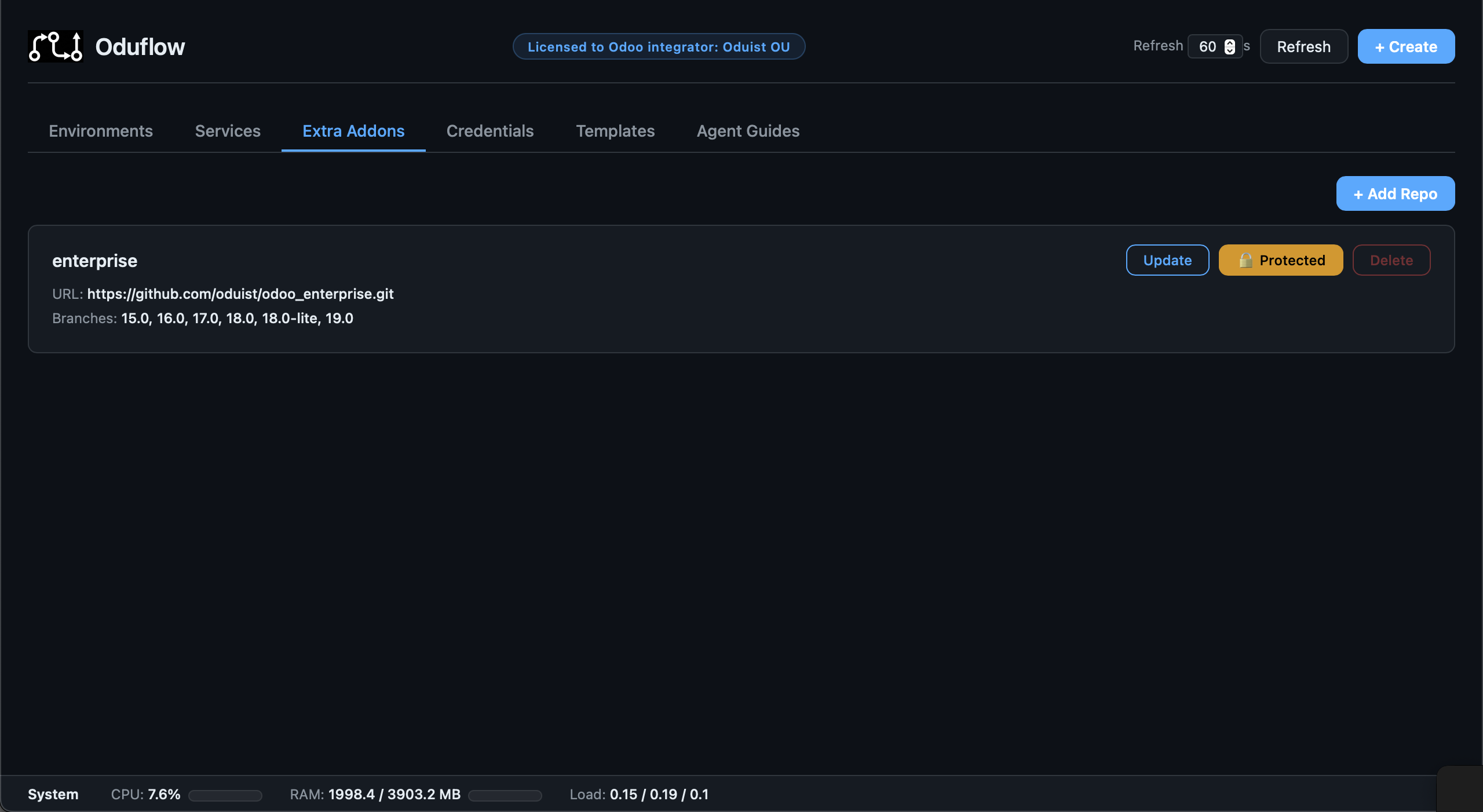
Oduflow supports mounting extra addon repositories (e.g. Odoo Enterprise, third-party themes) into environments. Git objects and immutable checkouts are shared by all development environments in a team.
Architecture
{data_dir}/team_{ID}/
  shared_repos/
    enterprise/          ← bare git repo, only the branches in use (shared)
    custom-themes/       ← bare git repo, only the branches in use (shared)
  shared_extra_checkouts/
    enterprise/
      a1b2c3.../          ← immutable checkout of one commit (shared)
    custom-themes/
      d4e5f6.../          ← immutable checkout of one commit (shared)
  workspaces/
    feature-x/
      repo/              ← main project repo (existing)
The requested branch selects a commit when an environment is created. Several environments on the same commit mount the same checkout read-only, without duplicating its files. Checkouts are keyed by commit rather than branch because branches move; an environment stays isolated on its current revision until it is explicitly synced.
Production deployments retain private worktrees because their deploy engine records and resets each worktree HEAD during rollback.
Setting Up Extra Repos
Add an extra repository once (it will be available for all environments):
# Via CLI
oduflow call add_extra_repo enterprise https://github.com/odoo/enterprise.git

# Private repos — store an access token first
oduflow call setup_repo_auth '{"repo_url": "https://github.com/odoo/enterprise.git", "token": "ghp_..."}'
oduflow call add_extra_repo enterprise https://github.com/odoo/enterprise.git
Adding a repository downloads no code. Oduflow checks access, reads the
remote branch list (git ls-remote) and creates an empty shared bare repo, so
even a multi-gigabyte repository with a branch per Odoo version is added in
seconds.
Each branch is downloaded the first time an environment or production uses it:
only that branch's latest commit, without history (--depth 1). A repository
that holds 16.0 to 19.0 therefore costs only the versions your environments
actually use. Once downloaded, a branch is kept up to date by
update_extra_repo.
The first environment on a new branch waits for that download. To download a
branch ahead of time, select it when adding the repository (the dashboard's
Load branches picker, or branches="18.0" in add_extra_repo). For a
repository that is already added, open its Branches dialog in the
dashboard, or run update_extra_repo(name, add_branch=["17.0", "18.0"]).
Managing branches in the dashboard
The Branches button on a repository card in the Extra Addons tab opens a dialog that lists every branch: the downloaded ones first, with the environments and productions that use each of them, then the rest of the remote list.
- Download selected downloads the selected remote branches now and keeps them updated by later updates.
- Refresh list re-reads the remote branch list (
git ls-remote) without downloading anything. - Remove deletes a downloaded branch to free disk space: its ref, the cached checkouts that no environment pins, and the git objects nothing else references. A branch that an environment or production uses cannot be removed, and neither can any branch of a protected repository. Cached checkouts handed out in the last six hours are kept, since an environment being created holds one before it shows up as a user; so are objects downloaded within the last hour. A later removal reclaims them. A removed branch is downloaded again when an environment next uses it.
Removing a branch from a repository added by an older Oduflow version (one that fetched every branch) switches that repository to the downloaded branches only, so the next update does not bring the branch back.
A stalled HTTPS download is aborted after two minutes without progress; a slow but progressing one may run up to an hour.
Importing several OCA repositories
In the dashboard, open Extra Addons → Import OCA. Search the OCA catalogue by name or description and sort by stars or name. Archived repositories are hidden unless Show archived is enabled.
Like Add Repo, importing downloads no code by default: each branch
downloads when an environment first uses it. To have branches ready, enter
Common versions, for example 18.0, 19.0. Each repository you select
starts from the current Common versions, and changing the field updates every
selected repository. Oduflow reads the branch list of each selected repository
without downloading anything; adjust its branch checkboxes as needed. Versions
a repository does not have are shown as unavailable: uncheck them or choose
another version before importing.
Click Import N repositories to start the import on the server. It adds up to three repositories at a time, and each repository shows its own result. You can close the dialog or reload the page: the import continues, and reopening the dialog shows its progress. A team runs one import at a time. Retry failed starts a new import of only the failed repositories, with the same branches.
Imported names use an oca- prefix, such as oca-server-tools. If two OCA
repositories would get the same name (for example foo-bar and foo.bar, or
very long names that are shortened), the second one gets a numeric suffix, such
as oca-foo-bar-2. Repositories the team already has are recognised by their
origin in any URL form (HTTPS, SSH, with or without .git) and cannot be
selected; neither can an import name that another repository already uses.
Import makes repositories available to the team; choose them separately when
configuring an environment.
The public catalogue is cached for 15 minutes. If GitHub cannot be reached or limits requests, the dialog shows the error, or the last loaded catalogue with a notice when one is available; no GitHub token is required. Import progress is kept in server memory: after a server restart, repositories that were added appear as already added, and the rest can be imported again.
Using Extra Addons in Environments
When creating an environment, specify which extra repos to mount:
# Mount enterprise addons on branch 19.0
oduflow call create_environment feature-x "" default https://github.com/company/addons.git odoo:19.0 "enterprise:19.0"

# Mount multiple extra repos
oduflow call create_environment feature-x "" default https://github.com/company/addons.git odoo:19.0 "enterprise:19.0,custom-themes:main"
In the dashboard, the branch next to each repo is filled in from the Odoo
image of the environment being created (odoo:19.0 → 19.0), for every repo
that really carries such a branch — the usual case for a repository branched
per Odoo version, such as the OCA sets or enterprise. An online-release image
(odoo:saas~19.1) only ever gets its own saas-19.1 branch, never the stable
19.0. A repo whose branches are not known yet shows the expected name as a
placeholder instead, and a repo that does not have that branch is left empty.
Anything a template, a production or you typed is never overwritten, and a
branch you cleared stays empty. Each selected repo whose branch was filled in
this way is marked guessed, and a line under the list counts them, so you
can check them before creating the environment. The same applies to the extra
repos in a template's Settings.
For each development environment Oduflow automatically:
- Fetches the specified branch (downloading it on first use) and resolves its current commit SHA
- Creates or reuses the team's immutable checkout for that SHA
- Mounts the checkout read-only as
/mnt/extra-addons-{name} - Generates a merged
odoo.confwith all extra paths added toaddons_path— modules may live either at the repository root or in a top-leveladdons/directory (the same convention as the main repo); in the latter caseaddons_pathpoints at that subdirectory automatically - Installs the repo's
.oduflow/requirements.txt/.oduflow/apt_packages.txt(with the same lookup rules as the main repo's), so an extra repo declares its own Python/apt dependencies
Managing Extra Repos
# List extra repos with downloaded and remote branches
oduflow call list_extra_repos

# Delete an extra repo (fails if any environment references it)
oduflow call delete_extra_repo enterprise
Extra repos can also be managed from the Web Dashboard under the "Extra Addons" tab.
Protecting Extra Repos
Extra addon repositories can be protected from accidental deletion, similar to environment protection. A protected repo cannot be deleted until protection is removed.
Protection state is stored as a .protected marker file in the bare repository directory.
Via REST API
# Protect an extra repo
curl -X POST http://localhost:8000/api/extra-repos/enterprise/protect

# Unprotect an extra repo
curl -X POST http://localhost:8000/api/extra-repos/enterprise/unprotect
Via Web Dashboard
Extra repo protection can be toggled from the Extra Addons tab in the Web Dashboard. When protected:
- The Delete button is disabled
- Attempting to delete via API returns a
ProtectedError
Updating Extra Repos
Use update_extra_repo to fetch the latest changes from the remote:
This refreshes the remote branch list and fetches every downloaded branch into the shared bare repository, pruning branches deleted on the remote. Branches that no environment has used yet stay undownloaded. It does not change the checkout mounted by any running environment.
Downloaded branches are fetched incrementally, so the update reports how many commits arrived and older commits stay available for production rollback.
Repositories added before on-demand downloads (Oduflow versions that cloned every branch) keep that behaviour: their update still fetches all branches.
In the Web Dashboard's "Extra Addons" tab, each repo has an Update button, and Update all fetches every repo that has a remote, one after another, then shows a single summary of updated, unchanged and failed repos.
Updating an environment
Run the normal sync operation:
pull_and_apply fetches every configured extra-addons branch, creates or reuses
the new SHA checkout, classifies its changed files, switches only that
environment's read-only mount, and performs the required install, upgrade, or
restart. Other environments continue using their previous checkout.
Cached checkouts are deliberately not reference-counted or removed with an environment. Deleting the extra repository removes its bare repo and every cached revision after Oduflow verifies that no environment or production still depends on it.