Auxiliary Services
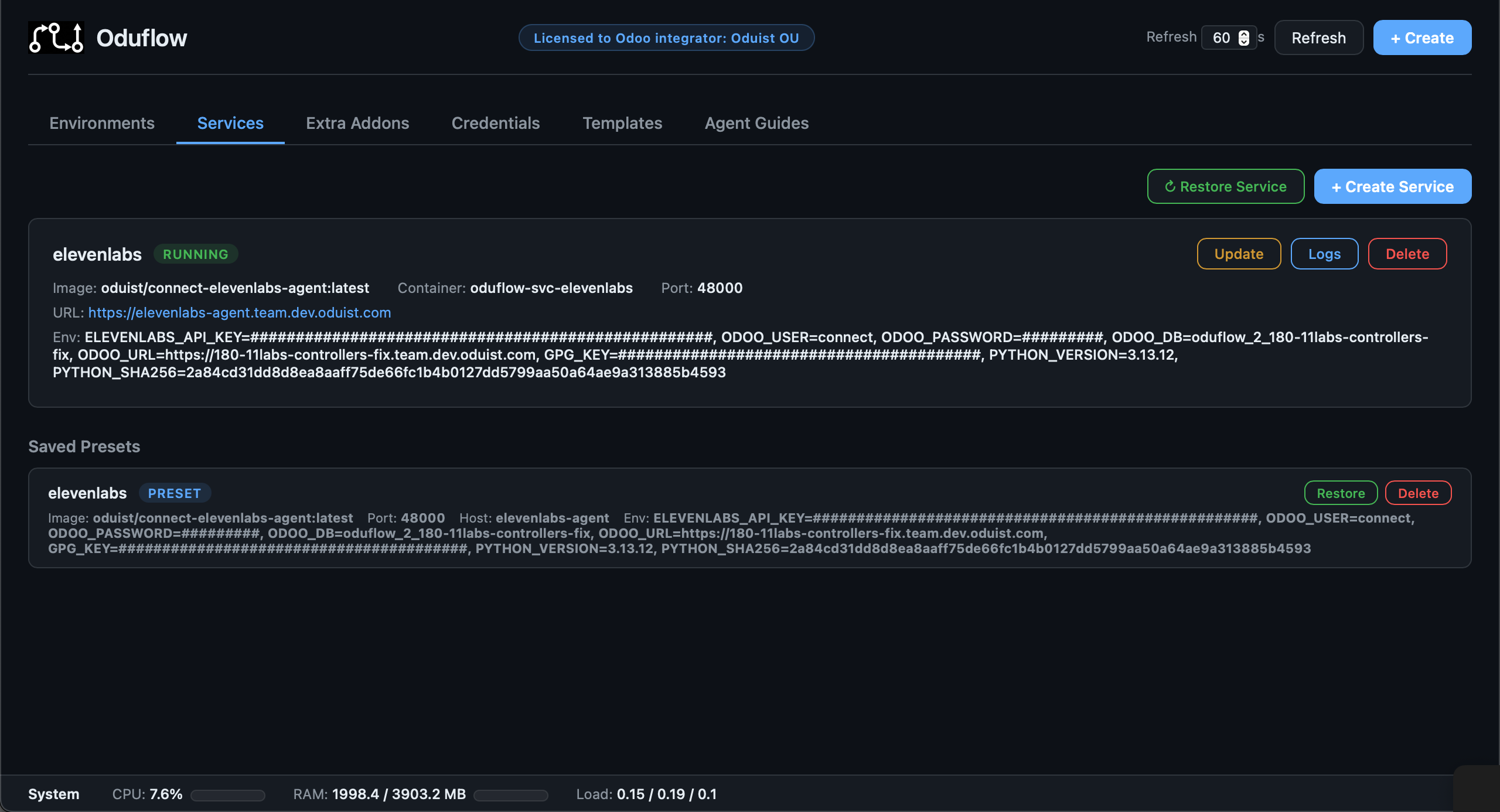
Oduflow can manage sidecar containers for auxiliary services your Odoo instance depends on — Redis, Meilisearch, Elasticsearch, RabbitMQ, or any other Docker-based service.
Creating a Service
# Redis
oduflow call create_service redis redis:7 6379

# Meilisearch with environment variables
oduflow call create_service meilisearch getmeili/meilisearch:v1.6 7700 "" "MEILI_MASTER_KEY=abc123,MEILI_ENV=production"

# Elasticsearch
oduflow call create_service elasticsearch docker.elastic.co/elasticsearch/elasticsearch:8.11.0 9200 "" "discovery.type=single-node,ES_JAVA_OPTS=-Xms512m -Xmx512m"
Services are:
- Attached to the shared
oduflow-netnetwork (accessible by all Odoo containers) - Given an
unless-stoppedrestart policy - Automatically routed through Traefik with HTTPS when in traefik mode
- Labeled for management (
oduflow.managed=true,oduflow.service=<name>)
Managing Services
# List all services with status, ports, URLs, and env vars
oduflow call list_services

# View service logs
oduflow call get_service_logs redis 200

# Restart a service
oduflow call restart_service redis

# Update a service (pull latest image, recreate container with same settings)
oduflow call update_service meilisearch

# Delete a service
oduflow call delete_service redis

# Execute a command inside a service container
oduflow call run_service_command redis "redis-cli ping"
Service Update Flow
The update_service operation:
- Captures the current image name, environment variables, port, and hostname
- Pulls the latest version of the image
- Compares image digests — if unchanged, reports "already up-to-date"
- If the image changed: stops the old container, removes it, and creates a new one with identical settings
Service Presets
Every time a service is created, its configuration (image, port, hostname, environment variables) is automatically saved as a preset in {team_data_dir}/service_presets.json. This allows you to restore a service after deletion without re-entering its configuration.
# List saved presets
oduflow call list_service_presets

# Restore a previously deleted service
oduflow call restore_service redis

# Remove a saved preset
oduflow call delete_service_preset redis