Extra Addons Repositories
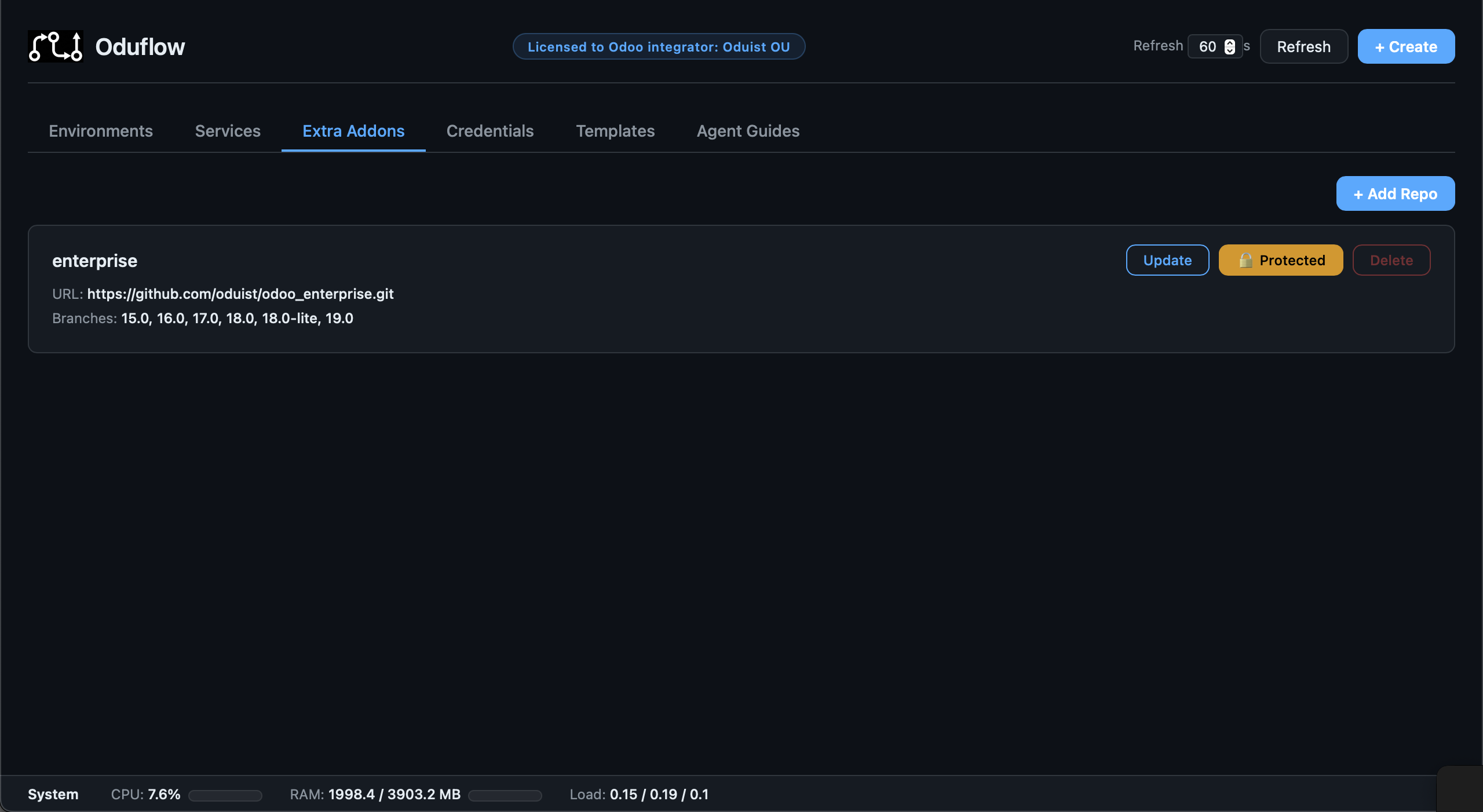
Oduflow supports mounting extra addon repositories (e.g. Odoo Enterprise, third-party themes) into environments. Extra repos are cloned once at the instance level and shared across environments via git worktrees.
Architecture
{data_dir}/team_{ID}/
  shared_repos/
    enterprise/          ← bare git clone (shared)
    custom-themes/       ← bare git clone (shared)
  workspaces/
    feature-x/
      repo/              ← main project repo (existing)
      extra/
        enterprise/      ← git worktree (branch 17.0)
        custom-themes/   ← git worktree (branch main)
Setting Up Extra Repos
Clone an extra repository once (it will be available for all environments):
# Via CLI
oduflow call add_extra_repo enterprise https://github.com/odoo/enterprise.git

# Private repos — configure auth first
oduflow call setup_repo_auth https://user:PAT@github.com/odoo/enterprise.git
oduflow call add_extra_repo enterprise https://github.com/odoo/enterprise.git
Using Extra Addons in Environments
When creating an environment, specify which extra repos to mount:
# Mount enterprise addons on branch 17.0
oduflow call create_environment feature-x "" default https://github.com/company/addons.git odoo:17.0 "enterprise:17.0"

# Mount multiple extra repos
oduflow call create_environment feature-x "" default https://github.com/company/addons.git odoo:17.0 "enterprise:17.0,custom-themes:main"
Oduflow automatically:
- Creates a git worktree for each extra repo at the specified branch
- Mounts the worktree read-only into the container as
/mnt/extra-addons-{name} - Generates a merged
odoo.confwith all extra paths added toaddons_path
Managing Extra Repos
# List all cloned extra repos with available branches
oduflow call list_extra_repos

# Delete an extra repo (fails if any environment references it)
oduflow call delete_extra_repo enterprise
Extra repos can also be managed from the Web Dashboard under the "Extra Addons" tab.
Protecting Extra Repos
Extra addon repositories can be protected from accidental deletion, similar to environment protection. A protected repo cannot be deleted until protection is removed.
Protection state is stored as a .protected marker file in the bare repository directory.
Via REST API
# Protect an extra repo
curl -X POST http://localhost:8000/api/extra-repos/enterprise/protect

# Unprotect an extra repo
curl -X POST http://localhost:8000/api/extra-repos/enterprise/unprotect
Via Web Dashboard
Extra repo protection can be toggled from the Extra Addons tab in the Web Dashboard. When protected:
- The Delete button is disabled
- Attempting to delete via API returns a
ProtectedError
Updating Extra Repos
Use update_extra_repo to fetch the latest changes from the remote:
oduflow call update_extra_repo enterprise
This runs git fetch --all --prune on the shared bare repository only. It does not affect any running environments.
Why environments are not updated automatically
Each environment gets a detached git worktree pinned to a specific commit at creation time. This is by design:
- Stability — the environment keeps working with the exact version of extra addons it was deployed with, regardless of upstream changes.
- Isolation — updating one environment's dependencies cannot break another.
- Predictability —
pull_and_applyhandles only the main project repository; extra addons remain unchanged.
How to update extra addons in an environment
Delete and recreate the environment. The new environment will get a fresh worktree pointing to the latest commit on the specified branch:
oduflow call delete_environment feature-x
oduflow call create_environment feature-x "" default https://github.com/company/addons.git odoo:17.0 "enterprise:17.0"
Tip
Run update_extra_repo before recreating the environment to ensure the bare repo has the latest commits.